
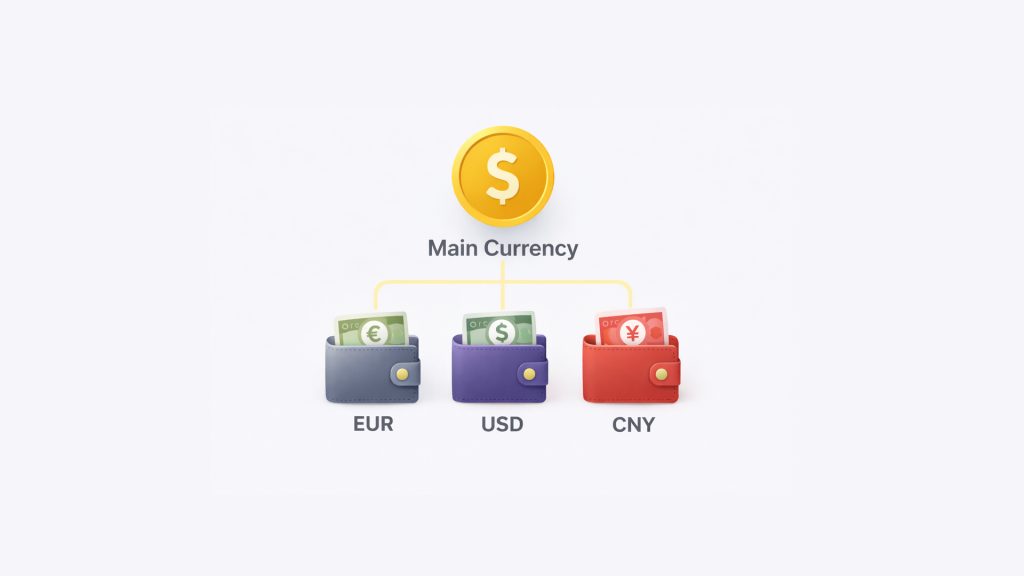
Overview
Money Tracker supports multiple currencies so you can track money from different accounts and countries easily.
To keep everything accurate and easy to understand, the app uses two types of currency:
• Main Currency
• Wallet Currency
Each one has a different role.
Main Currency
It is used to:
• Calculate totals across all wallets
• Display statistics and reports
• Track budgets and overall balance
Even if your wallets use different currencies, Money Tracker converts everything into the Main Currency for calculation.
Example:
If your Main Currency is USD, all wallets will be converted to USD when viewing totals or statistics.
Wallet Currency
Wallet Currency is the currency assigned to an individual wallet.
It is used when:
- Viewing transactions in that wallet
- Adding income or expense to that wallet
Each wallet can have its own currency, which may be the same as or different from the Main Currency.
How Currency Works in Different Views
Viewing a Single Wallet
- Transactions are shown in the Wallet Currency
- Amounts reflect the original currency of that wallet
Viewing All Wallets
- All wallet amounts are converted
- Totals and calculations are shown in the Main Currency
This ensures all numbers are consistent and comparable.
Why Two Currencies Are Important
Using two currencies allows you to:
• Track multiple wallets in different currencies
• Manage international accounts
• See accurate totals without manual conversion
• Keep reports and budgets reliable
Things to Remember
Things to Remember
• Main Currency is for calculation and totals
• Wallet Currency is for individual wallet transactions
• Conversion happens automatically in the background
Summary
Money Tracker uses Main Currency to calculate everything across the app and Wallet Currency to display transactions inside each wallet.
This makes multi-currency tracking simple, accurate, and stress-free.