
Transferring between wallets lets you move money from one wallet to another, such as from Cash to Savings.
This is useful for tracking internal money movement without affecting income or expense totals.
Steps to Transfer Between Wallets
1. Open the Transfer Tool
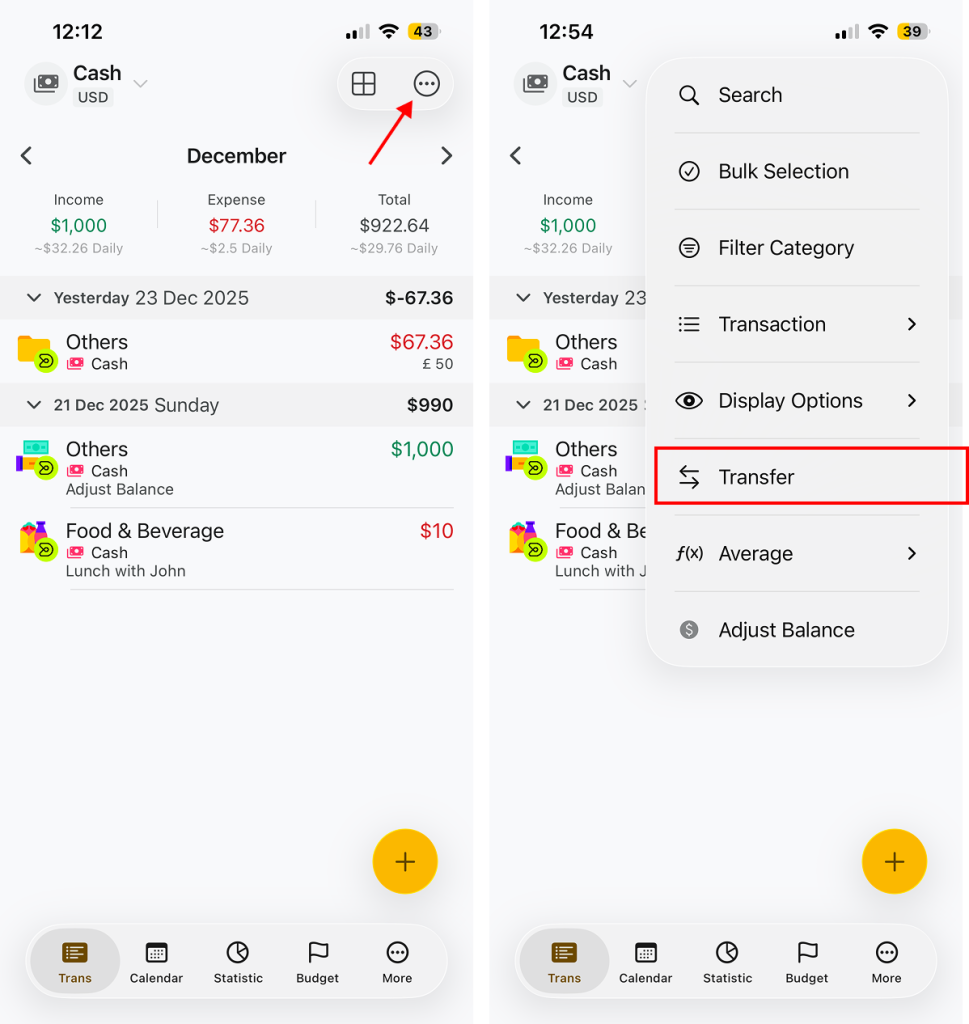
- Go to the Transactions screen.
- Tap the More (•••) menu on the top navigation bar.
- Tap Transfer.
2. Choose Wallet
- Select the From wallet (the wallet sending money).
- Select the To wallet (the wallet receiving money).
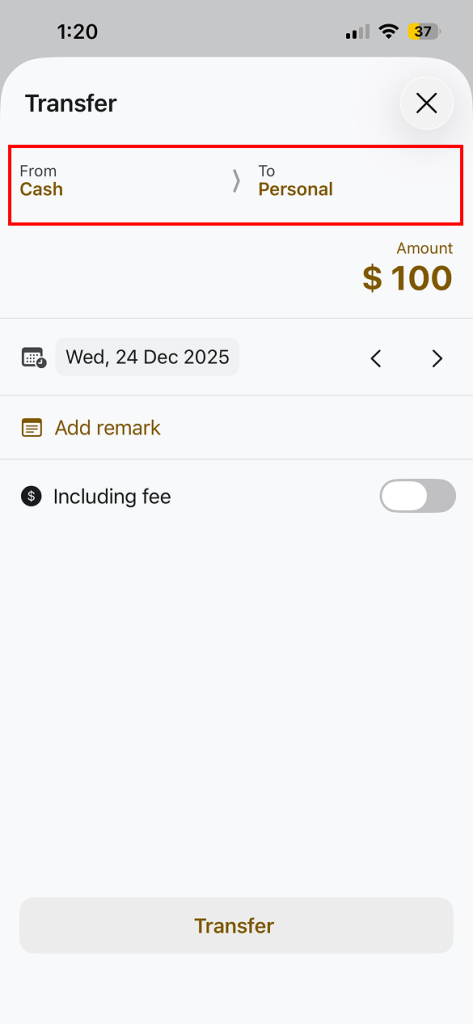
3. Enter Transfer Details
- Enter the amount you want to transfer.
- Select the date if needed
- Add a Remark (Optional) to describe the transfer.
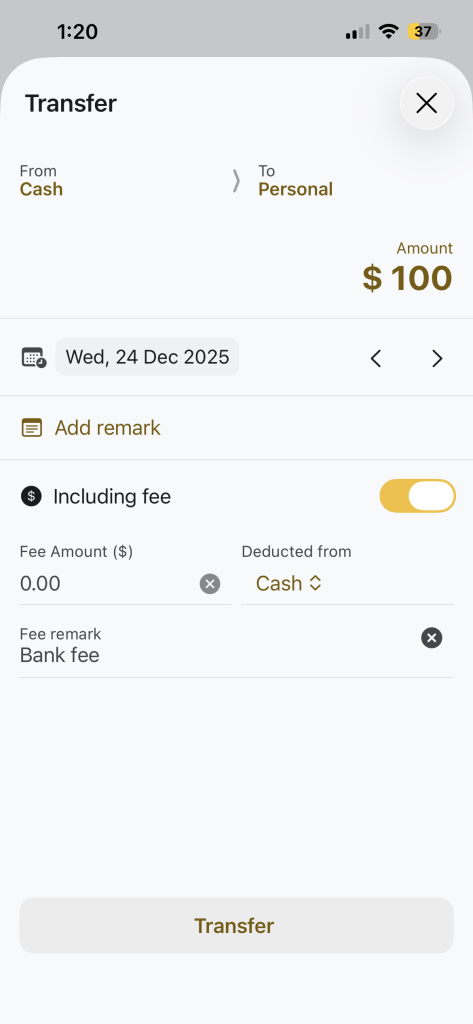
- Include Transfer Fee(Optional)
- Turn on Include Fee.
- Enter the fee amount.
- Choose which wallet the fee is deducted from.
- Add a Free remark(optional)
- Tap on Transfer button
How transfer Appear in Transaction
• Transfers are recorded as Transfer Out and Transfer In.
• They do not count as income or expense.
• Wallet balances update automatically.