
Overview
Creating a wallet helps you track where your money is stored, such as cash, bank accounts, or personal funds. You can create multiple wallets for different purposes.
Step 1: Go to the More Screen
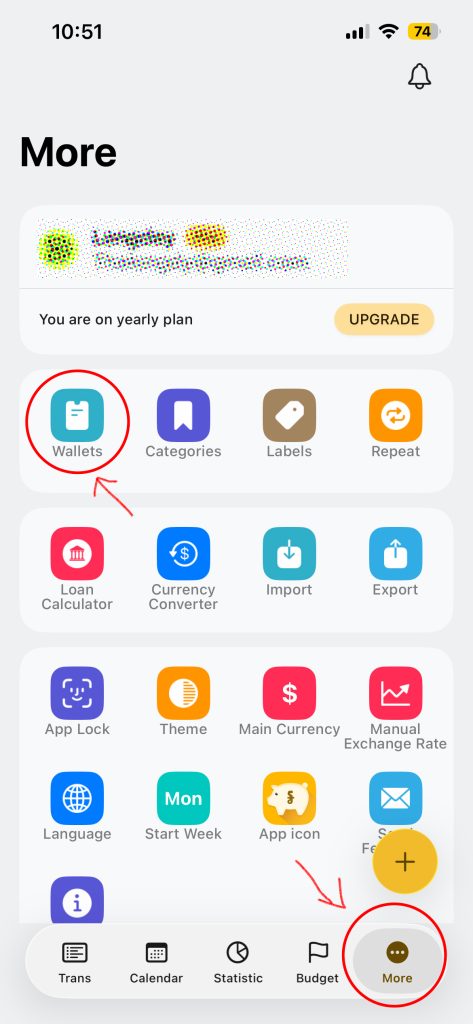
- Open the App
- On the More from the bottom navigation bar
- Tap Wallets
You will see all of your existing wallets and an overview chart.
Step 2: Tap Add Wallet
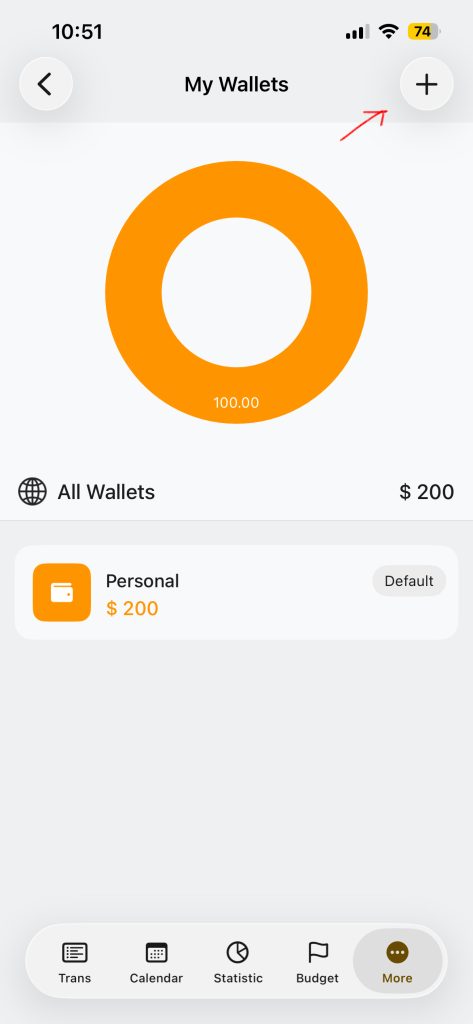
- On the My Wallets Screen
- Tap on the + Add Icon on the top right of the app bar
Step 3: Set Up Your Wallet
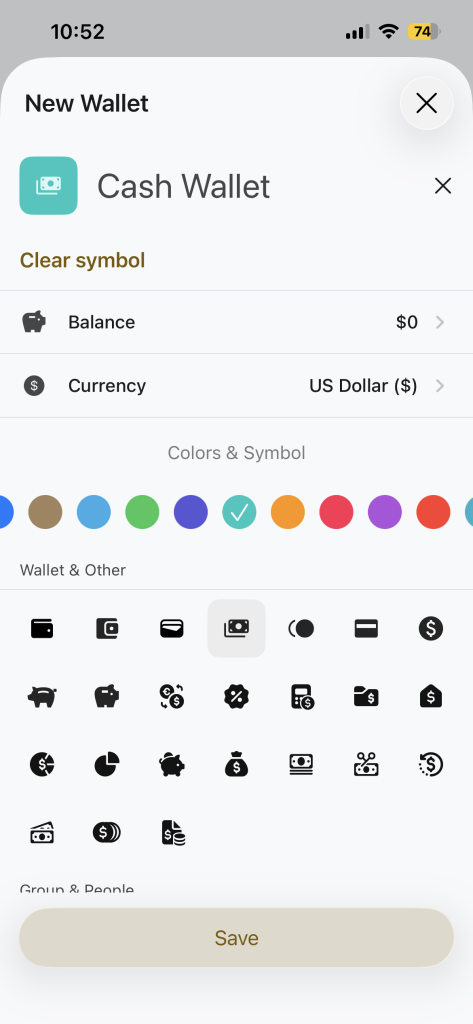
Fill in the details:
- Wallet name
Example: Cash Wallet, Personal, Bank Account - Balance(Amount)
Enter the starting amount for this wallet - Currency
Choose the currency you want for this wallet - Color & Symbol
Pick a color and icon to easily recognize the wallet
These options help you organize and identify wallets quickly.
Step 5: Save
After entering all details, tap Save at the bottom of the screen.
Your wallet is now created and ready to use
Tips
- Use different wallets for personal, shared, or business money
- Choose clear names and icons to avoid confusion
- Set the correct currency before adding transactions
Summary
Creating a wallet allows you to:
- Track money by account or purpose
- Use different currencies
- Keep finances organized
Wallets are the foundation of how Money Tracker works.