
Overview
Categories help you organize your income and expenses.
You can create your own category with a name, icon, and color in just a few steps.
Step 1: Open Categories
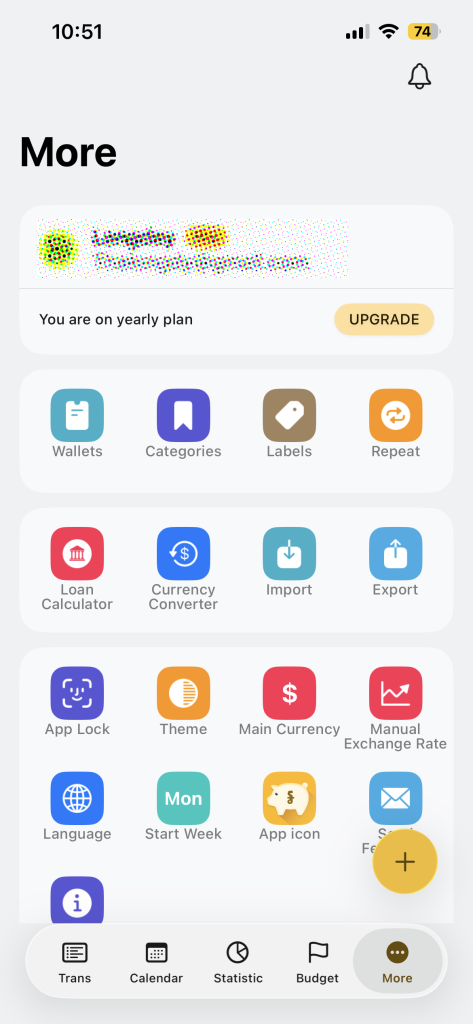
- Tap on More from the bottom menu
- Tap Categories
Step 2: Add a New Category
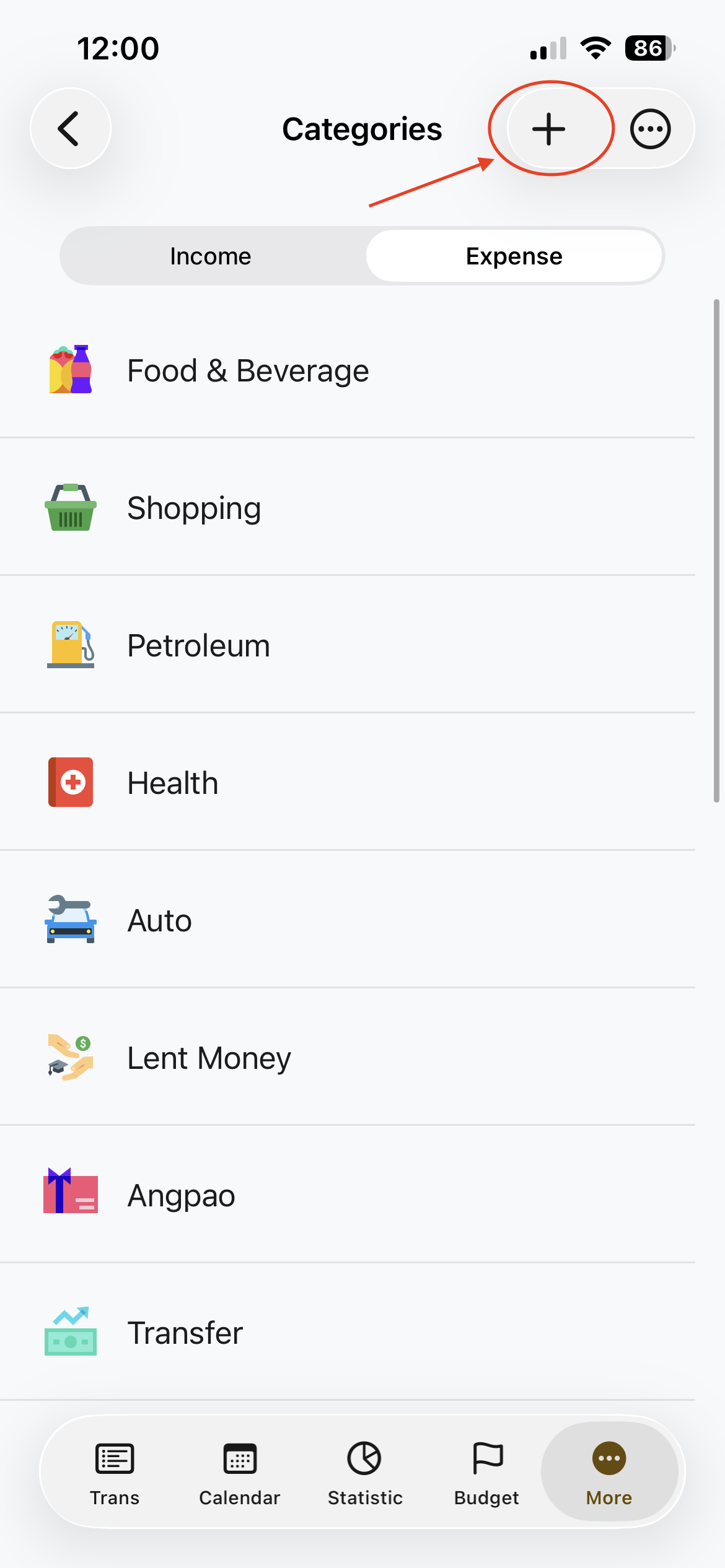
- Tap + Add button on the top right
- The create category will open
Step 3: Enter Category Details
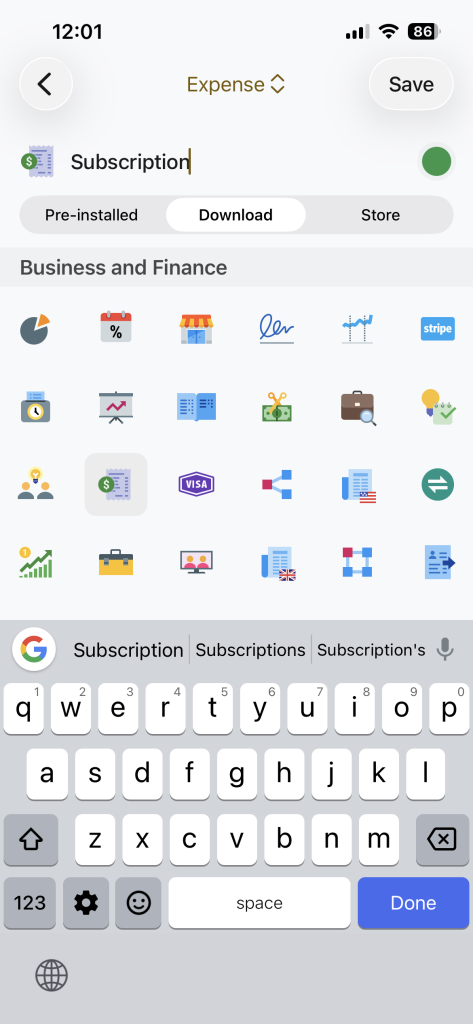
Fill in the category information:
- Category name
Example: Subscription, Rent, Salary - Category Type
ChooseIncome or Expense - Icon
Select an icon that best represents the category - Color
Pick a color to easily recognize it. This color will represent in charts.
Step 4: Save
- Tap Save on the top right
- Your category is now ready to us
Tips
- Keep category names short and clear
- Use different colors to avoid confusion
- Don’t create too many categories at once