
You can easily update or remove a transaction in Money Tracker if you make a mistake or need to change details.
This guide shows you both ways to edit and delete a transaction.
How to Edit a Transaction
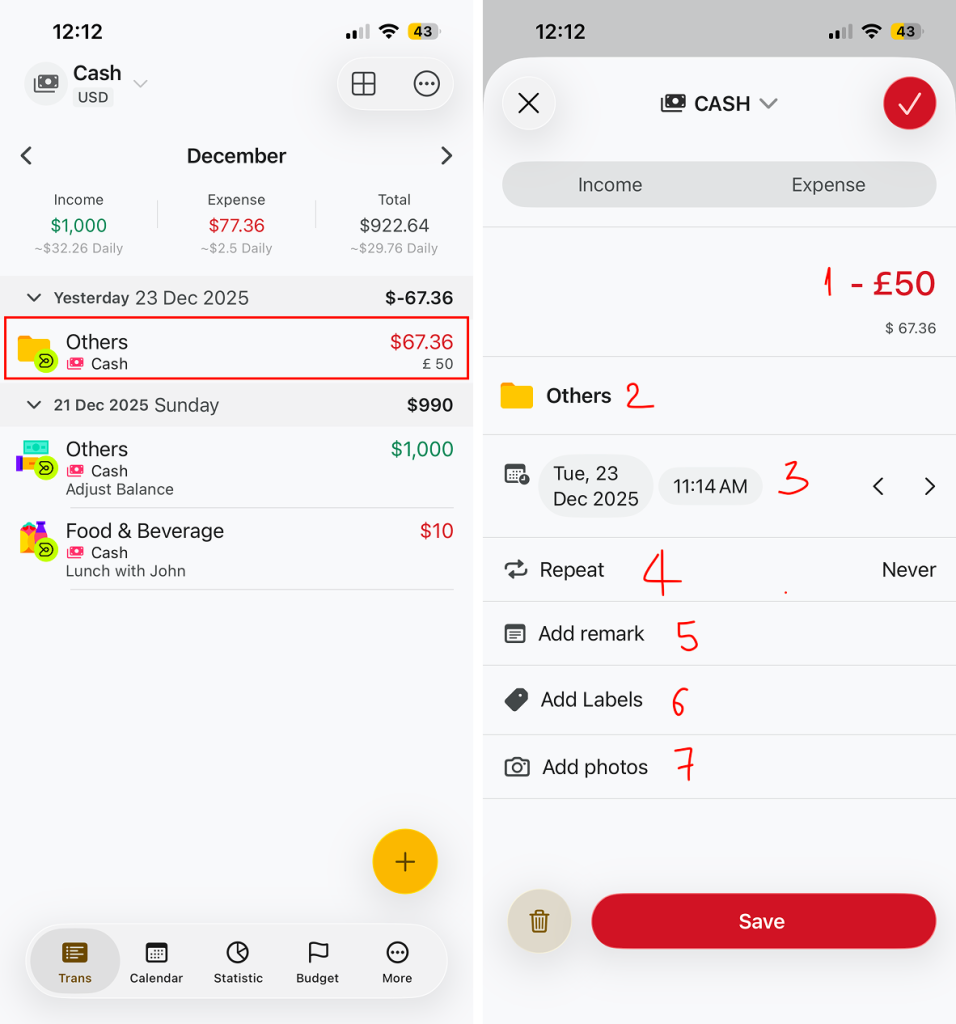
Editing a transaction allows you to update information such as amount, category, date, or notes.
Steps to Edit a Transaction
- Go to the Transactions screen.
- Tap on the transaction you want to edit.
- The transaction detail screen will open.
- Update any information you need, such as:
- Amount
- Category
- Date & time
- Repeat Option
- Remark / note
- Labels
- Attached photos
- Tap Save to apply your changes
How to Delete a Transaction
There are two ways to delete a transaction.
Method 1: Delete from the Transaction List
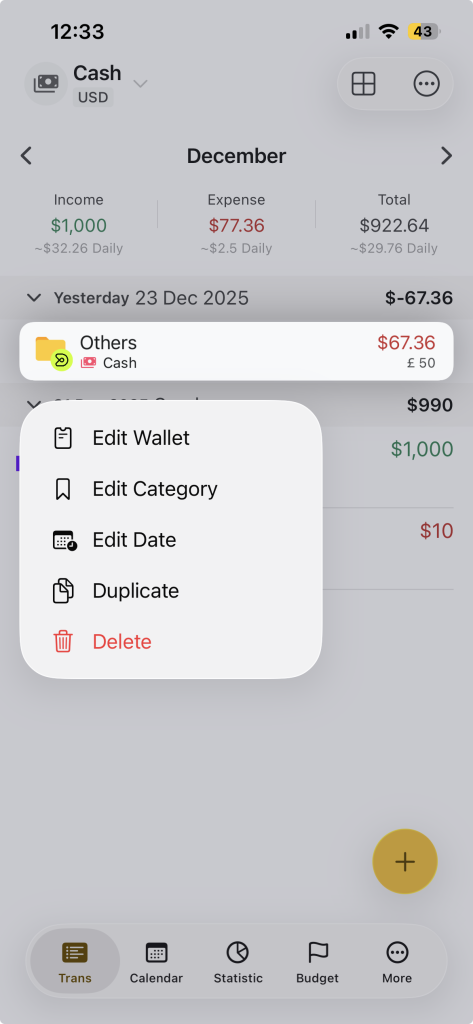
- Go to the Transactions screen.
- Press and hold the transaction you want to delete.
- A contextual menu will appear.
- Tap Delete.
Method 2: Delete from Transaction Details
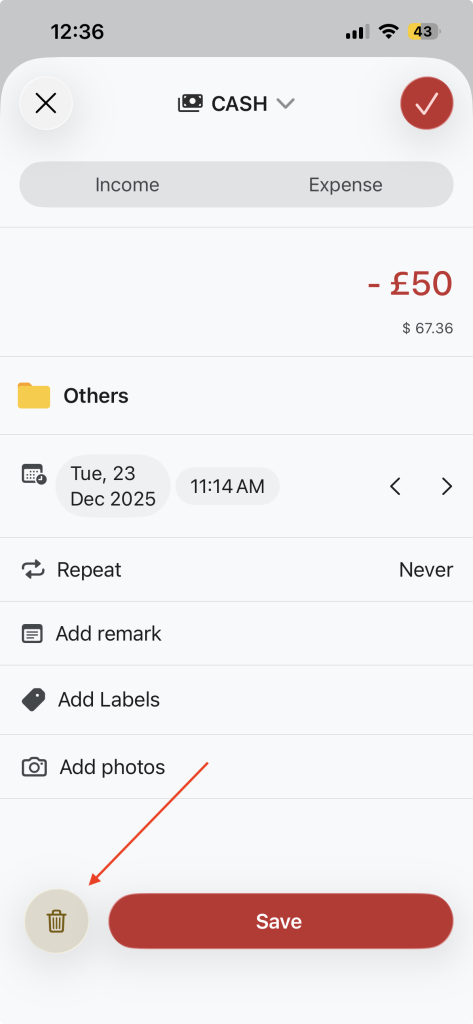
- Tap on the transaction to open transaction details.
- Scroll to the bottom of the screen.
- Tap the Delete button.
- Confirm the action if prompted.
Note: The transaction will be permanently removed.