
You can easily record your income or expense in just a few taps.
Adding transactions helps you track where your money comes from and where it goes.
Step 1: Open Transactions
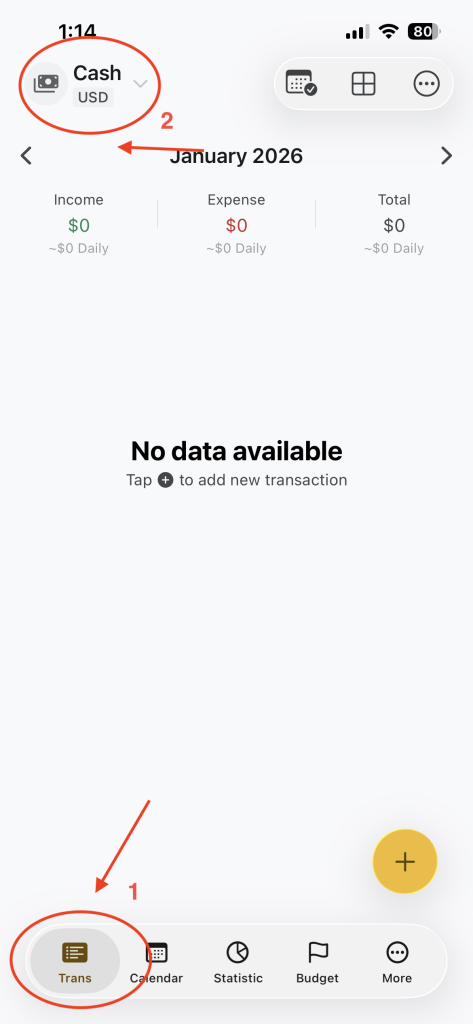
- Tap on Trans from the bottom menu
- Choose the wallet you want to use (for example: Cash)
Step 2: Tap Add
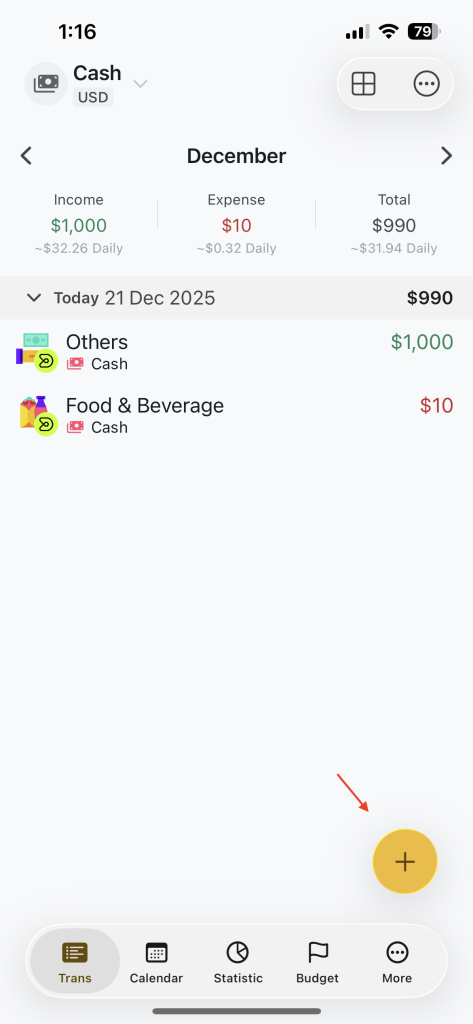
- Tap + Add button
- The add transaction screen will appear
Step 3: Choose Income or Expense
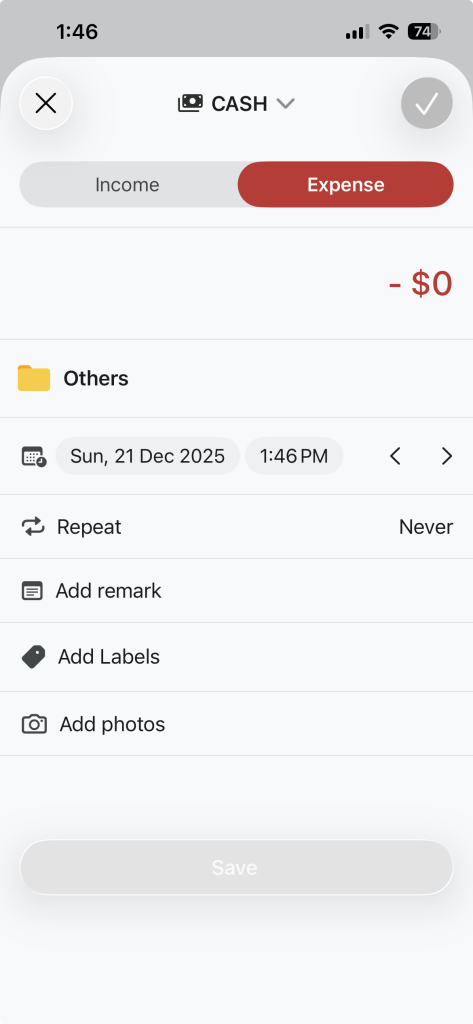
- Select
- Income: money you receive
- Expense: money you spend
- Enter the amount
Step 4: Select a category
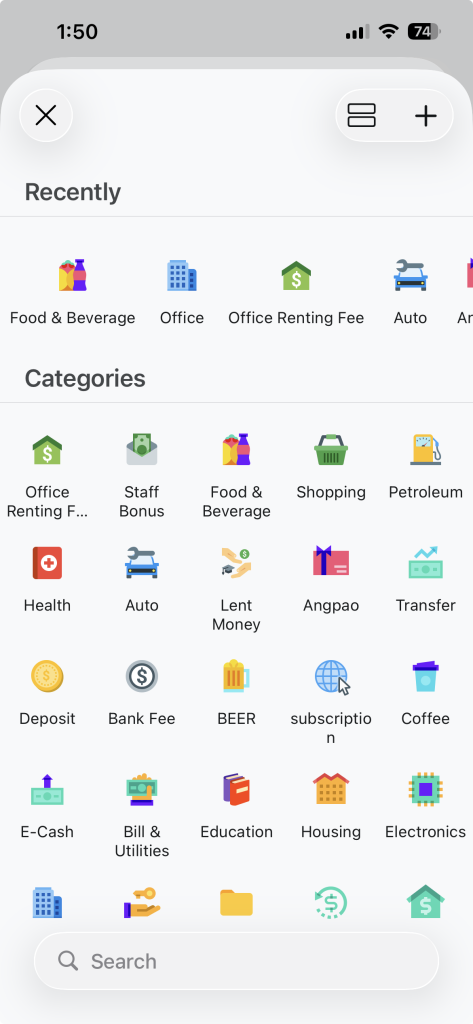
Choose a category such as:
- Food & Beverage
- Slary
- Others
Step 5: Add Option Details(Optional)
You can also add:
- Date (default is today)
- Remark / Note (example: Lunch with John)
- Repeat (for recurring transactions)
These are optional but helpful.
Step 6: Save Transaction
- Tap the ✓ Save button
- Your transaction will be added successfully