
Overview
Sharing a wallet lets you track money together with your partner, family member, or teammate.
Everyone in the shared wallet can see and add transactions in real time no matter you and your partner are using different platforms (Android/iOS).
Step 1: Open Your Wallet
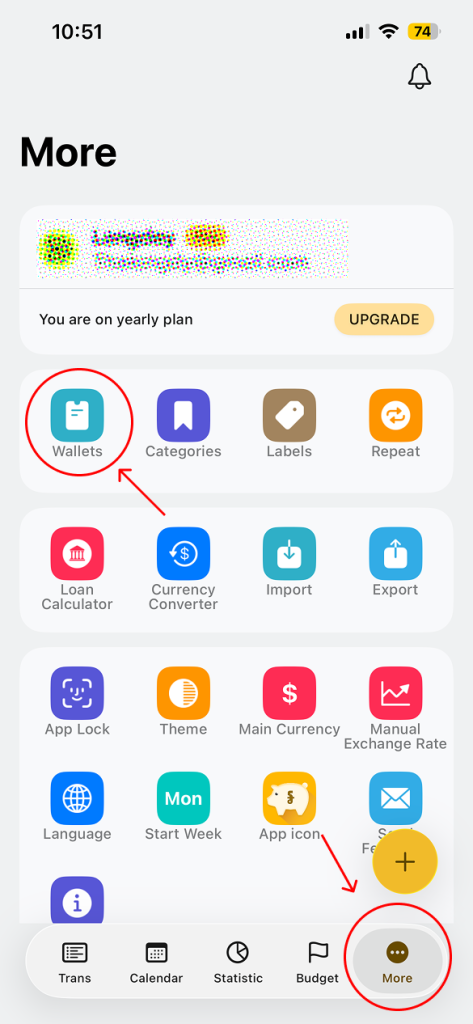
- Go to More
- Tap on Wallets
Step 2: Open Share Wallet
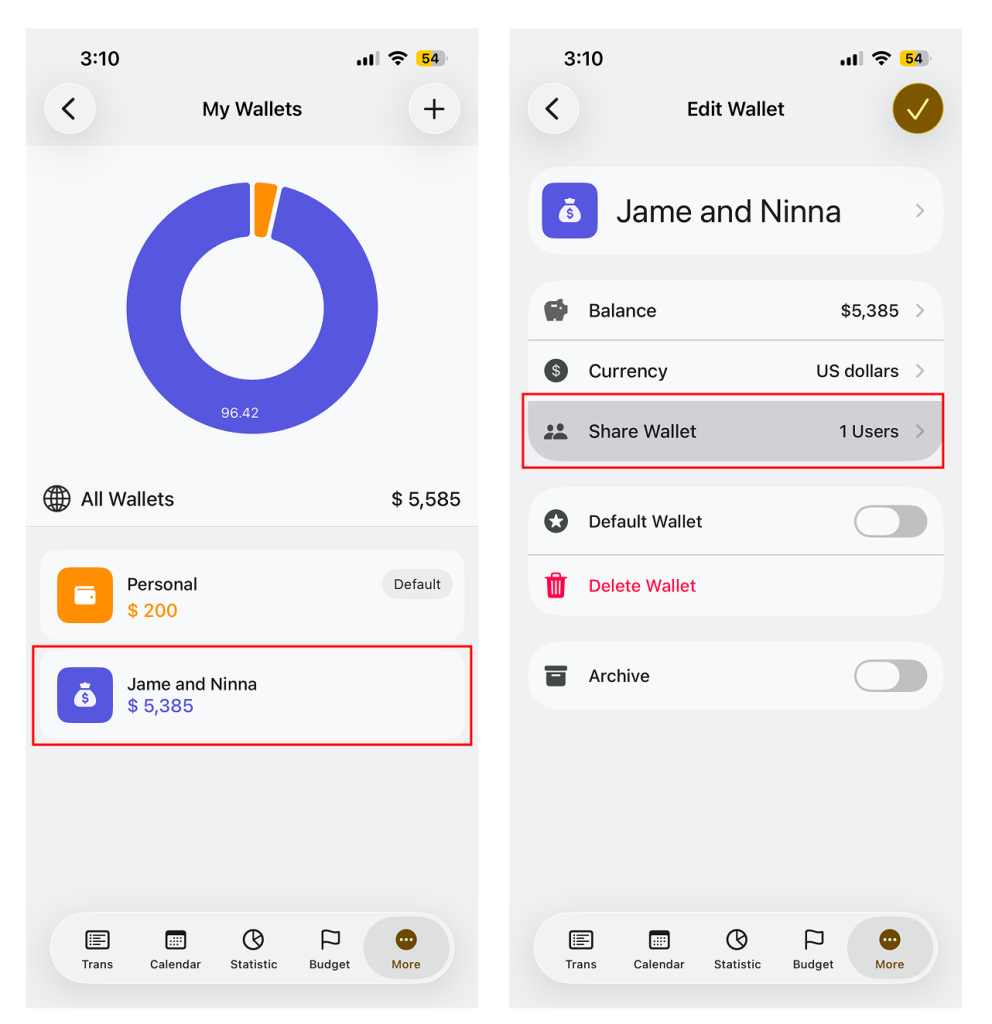
- Select the wallet you want to share
- Tap Share Wallet
Step 3: Invite Member
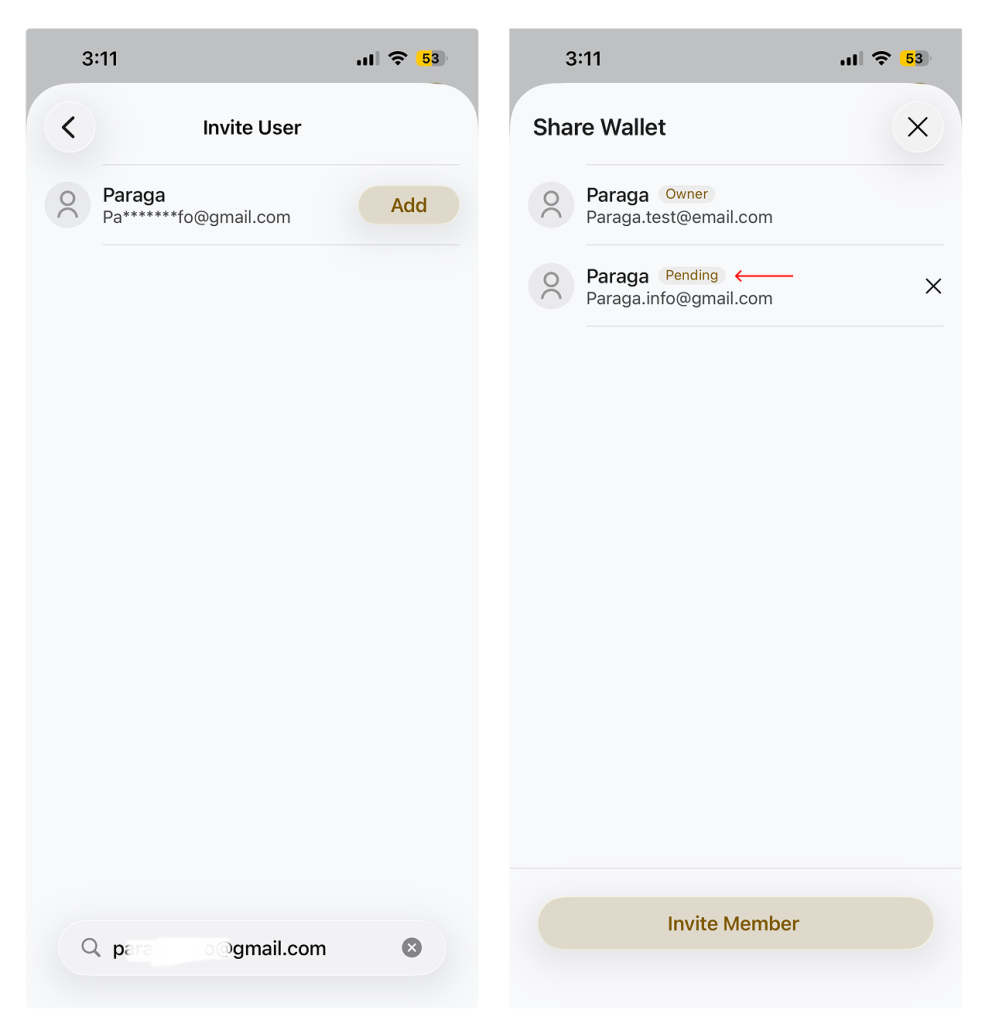
- Tap Invite Member
- Enter the email address of the person you wan to invite
- Tap Invite
Step 4: Wait for Acceptance
- Your partner will receive an inviation
- Once they accept, the wallet become Shared
- Both of you can now track income and expense to gether